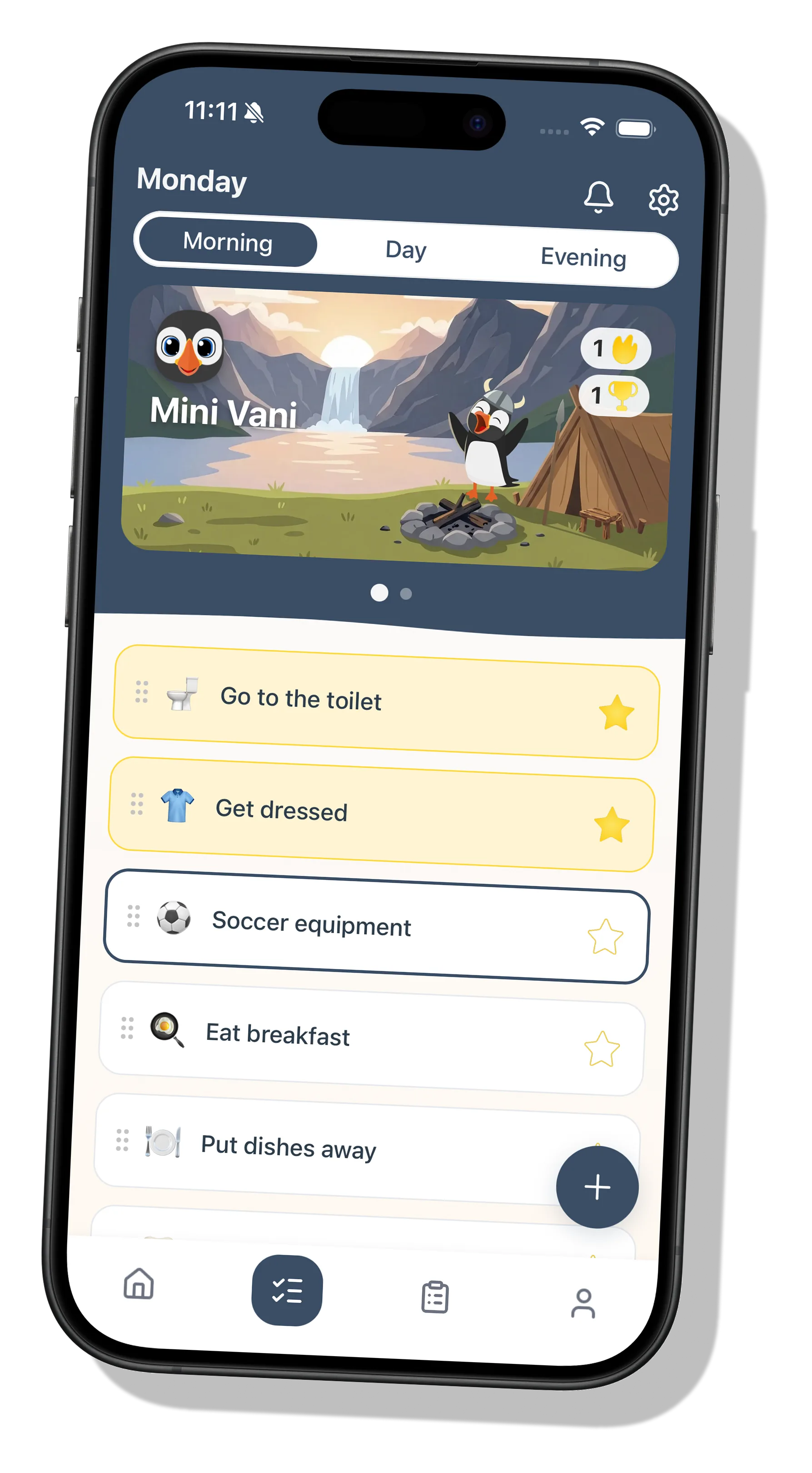
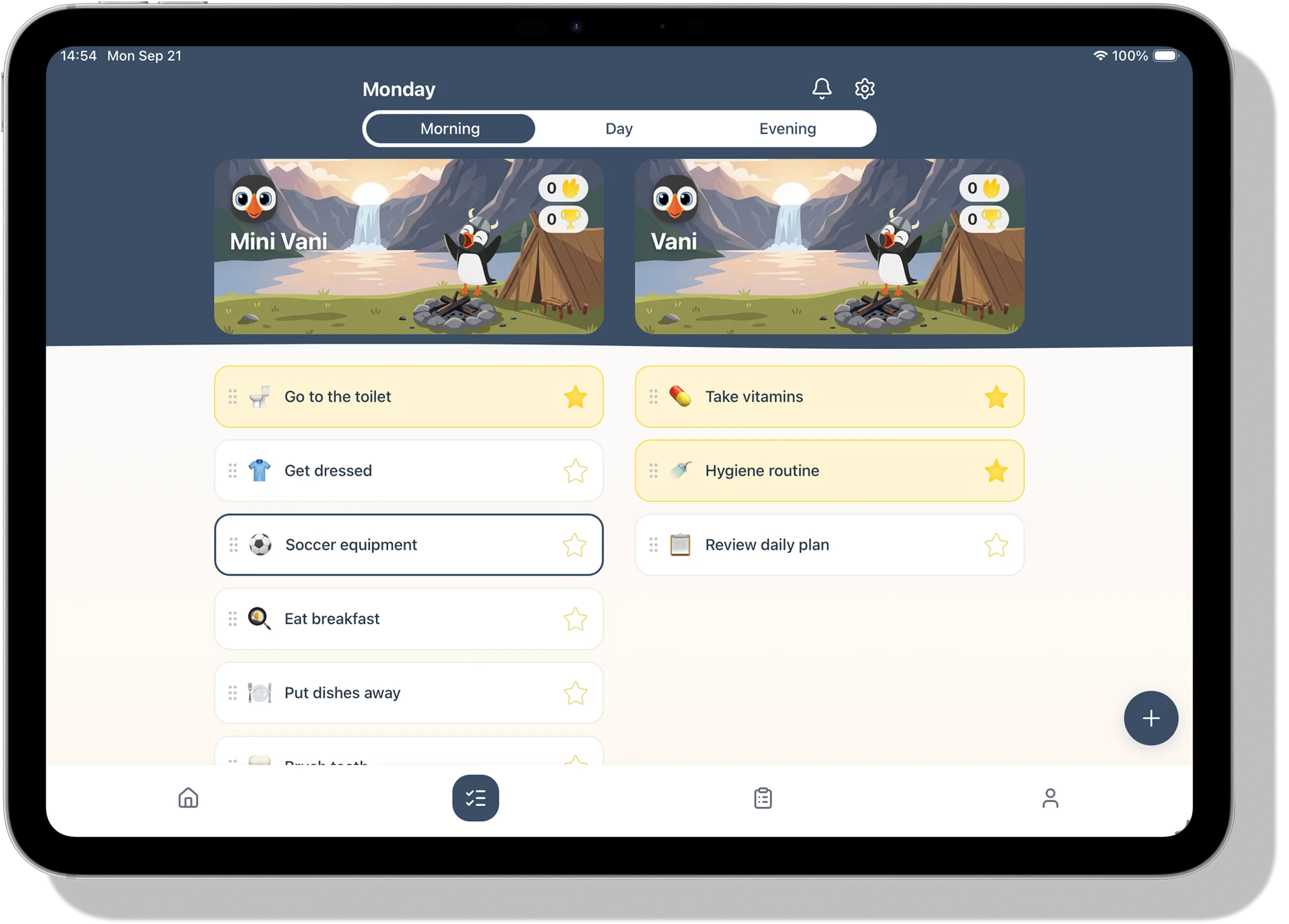
Every family member gets their own routine, and finished tasks move the whole family forward.
How’s your day going?
Some parts of the day are just more stressful than others.
Need help?
VANI is designed to support independence with a visual structure and game style motivation.
Just you, or the whole family
Just Me
One puffin, destined for greatness
Family Home
Many puffins working together towards a bright future
You can start with Just Me and create a home from settings whenever you’re ready. Your progress stays.
Routines made simple
Visual guidance
Break down daily routines into small, visual tasks
One device, many routines
Several family members can tick off their tasks on the same device, without logging in and out.
What are you waiting for?
This and so much more is inside VANI. Let’s get started.
Common questions
Which phones and tablets does VANI work on?
VANI works on iPhone and iPad, and you get it from the App Store. It isn’t available for Android yet. An Android version is coming soon, but there’s no date yet.
Does my child need their own phone?
No. An adult can add a profile for a family member who has no device of their own, and that child doesn’t need a login. If your child does have a phone, they can also have their own login. See Can an older child have their own login?
How do I invite another parent, a grandparent or another adult?
An owner or admin of a home can invite people. You’ll find the options in three places:
During setup, on the Invite your family screen.
With the + button, then Add User.
In Settings, under Family Settings: tap your family’s name, then go to Invite Members.
To invite another adult, choose Share invite link or Show QR code. The same list has Add family member, for a child without a device, and Child with their own phone. Family members who aren’t an owner or admin don’t see these options.
Using VANI on your own? Create a home first: Settings → Family Settings → Create a Home.
Can an older child have their own login?
Yes, with a personal invite from a parent or guardian who is an owner or admin of the home and is 18 or over. The link works once, for 72 hours. The child signs in with Apple, Google or email, and the adult then approves the request. To send one, choose Child with their own phone under Invite Members, or with + → Add User. You only see it if the birth date in your profile shows you’re 18 or over. Only the adult who sent the invite can approve it, and a request nobody answers lapses after 14 days. The personal invite is for children under 18. Someone 18 or over joins with the home’s ordinary invite link.
How do I remove a child’s profile?
In Settings, under Family Settings, tap your family’s name to open Edit Family. Under Family Members, tap the child, choose Remove from Family and confirm with Delete Member.
This permanently deletes the profile and its data. Only the parent who added the child can do this.
A child with their own phone has a phone icon next to their name. Tap them, choose Delete their account and confirm with Delete account. Only the adult who confirmed that child’s account can do this, while the child is under 18. The child can also delete their own account in Settings → Danger Zone → Delete Account at any time. A personal invite that hasn’t been used yet can be cancelled under Children with their own phone with Cancel invite.
Is there a free trial?
A family can have one 14-day free trial. The subscription screen shows it only if your Apple account is eligible and your family hasn’t had a trial before. Unless you cancel at least 24 hours before it ends, the trial becomes a paid subscription. We aim to email you a reminder about 2 days before it ends, but the trial ends on the date in your Apple subscription settings either way.
How do I cancel or get a refund?
Subscriptions are handled by Apple. You can cancel in the app under Settings → Subscription → Manage subscription, or in your Apple subscription settings. Only the person who pays for the subscription can manage it. Deleting the app or your account does not cancel a subscription.
Refunds are handled by Apple too.
I’ve paid, but VANI asks me to subscribe
This can happen on a new phone, for example. In Settings, tap Subscription, then Restore purchases. Make sure the phone is signed in to the same Apple account you paid with.
The app crashed or isn’t working
Crash reports reach us automatically, unless you’ve switched off Send crash reports.
If something keeps going wrong, write to us with your phone model and the App Version. Both the switch and the version are in Settings → Data & Privacy.
The confirmation or password email didn’t arrive
Try these in order:
Look for an email from noreply@mail.vani.is in your spam or junk folder, and in a Promotions tab if your email has one.
Give it a minute.
On the Check your email screen, check that your address is spelled right.
Ask for a new one: Send the email again on that screen, or Send the confirmation email again on the sign-in screen. For a new password, tap Forgot password? again.
Still nothing? Write to us.
The links are only valid for a short time, so open them on the same device.
How do I delete my account?
In the app, go to Settings → Danger Zone → Delete Account. If you can’t get into the app, the account deletion page explains what to do.